Ask your first question
Checked against Inkling on , 3 min read
Open in InklingOn this page6 headings
Type into the box on the home page, choose a depth and press Enter: the sources arrive first, then the answer, with a numbered citation on each claim.
Before you start
You need to be signed in; see Create your account. Quick answers are unlimited on every plan, so a first question at Quick isn’t counted against anything.
Ask
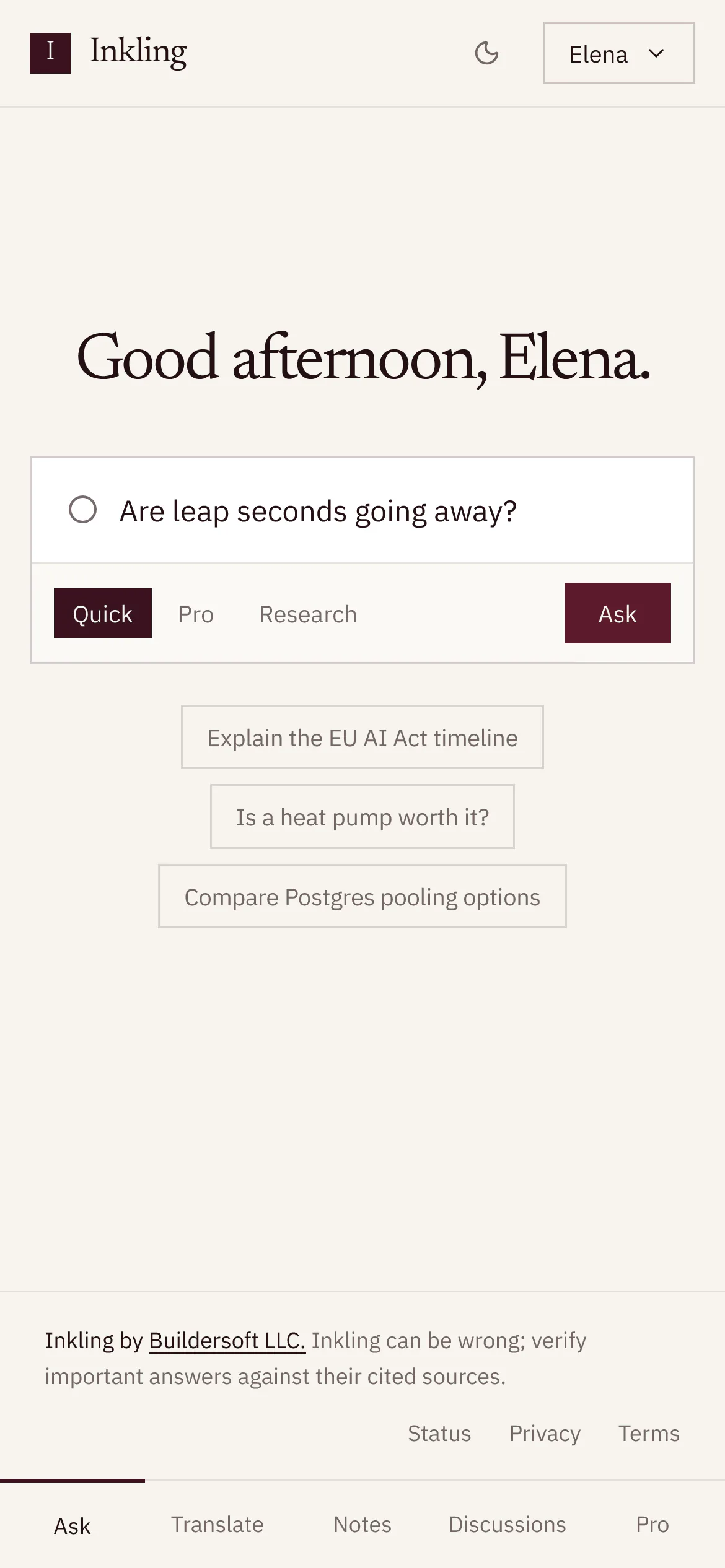
- Open Inkling. Signed in, the home page greets you by the time of day on your device, with your display name if you set one, such as “Good afternoon, Elena.”
- Click the ask box, or press / or CtrlK from anywhere on the page (⌘K on a Mac). Its placeholder reads “What lowers blood pressure the fastest?”.
- Type your question. Press ShiftEnter for a new line. A question can be up to 4,000 characters, so you can paste an error message or a paragraph you want explained.
- Choose a depth in the box, under your question: Quick, Pro or Research. The home page starts at Quick. See Choose a depth.
- Press Ask, or Enter.
Not sure where to start? The three starter questions under the box, “Explain the EU AI Act timeline”, “Is a heat pump worth it?” and “Compare Postgres pooling options”, each ask at Quick with one click.
What you’ll see
The answer page opens, and a live line under your question names each stage as it happens:
| Stage | What is happening |
|---|---|
| “Reading the question” | Inkling works out what you’re asking, and whether it needs the web at all |
| “Planning the search” | Pro and Research only: it plans several searches from different angles |
| “Searching” | It searches the web; the Sources rail holds space for the results |
| “Reading 4 sources” | The pages it will use are listed in the rail, before any of the answer appears |
| “Writing” | The answer arrives, with a numbered citation chip after each claim |
At Research, once the plan is ready, a Research plan takes over from that line and ticks off its searches one by one, for example “2 of 5 searches complete”.
When the answer is finished you’ll see:
- the stamp above it, which says what served it, how long it took and how many sources it read; see Read an answer
- a row of actions under it, from Copy to Export PDF, and Was this useful?; see Stop, copy, regenerate, export and rate
- Keep going, with up to 4 suggested next questions, and the box for a follow-up docked at the bottom of the page; see Follow-ups and Keep going
Keys in the ask box
| Key | What it does |
|---|---|
| / or CtrlK (⌘K on a Mac) | Moves to the ask box |
| Enter | Asks the question |
| ShiftEnter | Starts a new line |
| Esc | Stops an answer that is being written; otherwise clears the box, and a second press leaves it |
Limits
| Item | Limit |
|---|---|
| Question length | Up to 4,000 characters |
| Quick answers | Unlimited on every plan, currently |
| Pro searches | Currently 5 a day on Free; unlimited on Pro |
| Research reports | Currently 1 a month on Free; 50 on Pro |
| Fair use | Unlimited still has a rate limit, currently 60 requests a minute on Free and 180 on Pro |
Good to know
- Every question opens a discussion. After the first answer, Inkling gives it a short title of up to 60 characters. Find it again under Discussions, in the account menu or, on a phone, in the tab bar. See Your discussions.
- Ask in any language: Inkling answers in the language you ask in.
- If the question doesn’t need the web, such as rewriting a paragraph you pasted, Inkling answers directly and says that nothing was searched. See Answers that didn’t need a search.
- Changed your mind while it writes? Press Stop, or Esc in the box. What has arrived so far is kept, and the question still counts against its depth’s allowance.