Save an answer to a note
Checked against Inkling on , 3 min read
Keep a whole answer, or only the sentences you selected, in one of your notes, with its citations attached.
Before you start
You need to be signed in, and the answer needs to have finished. Saving to a note works on every plan and doesn’t use any allowance.
Save a whole answer
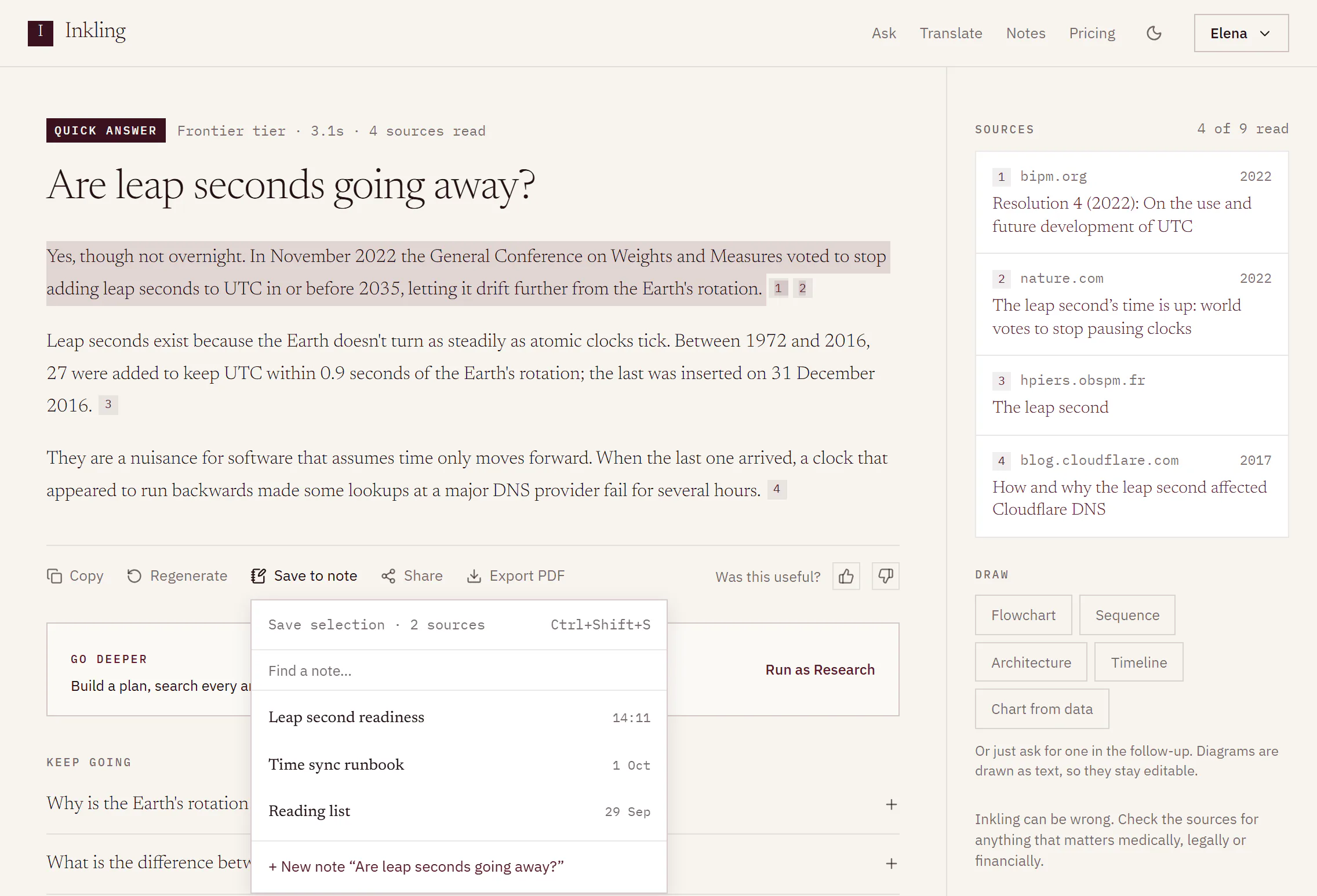
- Under the answer, select Save to note in the row of actions. From the keyboard, press CtrlShiftS (⌘ShiftS on a Mac).
- The header reads Save answer, with how many sources come with it, for example Save answer · 4 sources.
- Choose where it goes:
- one of your 3 most recently edited notes, listed first
- a note you find by typing in Find a note…, which lists up to 6 matches
- + New note “[the discussion’s title]”, which starts a note named after the discussion
- Inkling confirms with the note’s name, for example “Saved to Leap second readiness · Open”. Open takes you to the note.
Save only part of an answer
- Select the sentences you want in the answer.
- Select Save to note, or press the shortcut. The header now reads Save selection, for example Save selection · 2 sources.
- Choose a note, as above.
Only the words you selected are saved, with only the citations inside them.
What you’ll see in the note
The passage is added at the end of the note, or starts the new one, with its numbered citation chips. The Sources in this note column lists its sources under a line naming the answer and the day you saved it, followed by Open the answer, which goes back to the discussion it came from.
On a phone, the column is behind Sources 4 · Inkling (the number is the note’s count of sources) at the foot of the note.
A passage saved from a direct answer has nothing to cite, so the column marks it “From a direct answer · not sourced”. See Answers that didn’t need a search.
Limits
| Item | Limit |
|---|---|
| Recent notes offered | 3 |
| Matches when you search | Up to 6 |
| Room in a note | 100,000 characters in all |
| Figures | Not saved into notes |
| Saves | Count towards the 240 note writes in any 10 minutes, per account |
Good to know
- The shortcut isn’t available in Edge or Firefox, which use that key combination themselves. Use the Save to note button there.
- The shortcut opens Save to note for the answer your selection is in, or for the newest answer if nothing is selected. It does nothing while you are typing in a box.
- Figures aren’t carried into notes. When an answer or a selection contains one, the header says so, for example 1 figure not saved.
- If a note can’t take the passage, you see “That note is full. Save to a new note instead.”
- If you later delete the discussion, the passage and its sources stay in your note. Only Open the answer goes.
- The Share sheet also has Save to a note.
- On a phone, Save to note opens as a sheet from the bottom of the screen.