What Inkling is
Checked against Inkling on , 3 min read
Open in InklingInkling is Buildersoft’s answer engine: you ask a question, it searches the web, and it writes an answer with a numbered citation on each claim, linked to the pages it read.
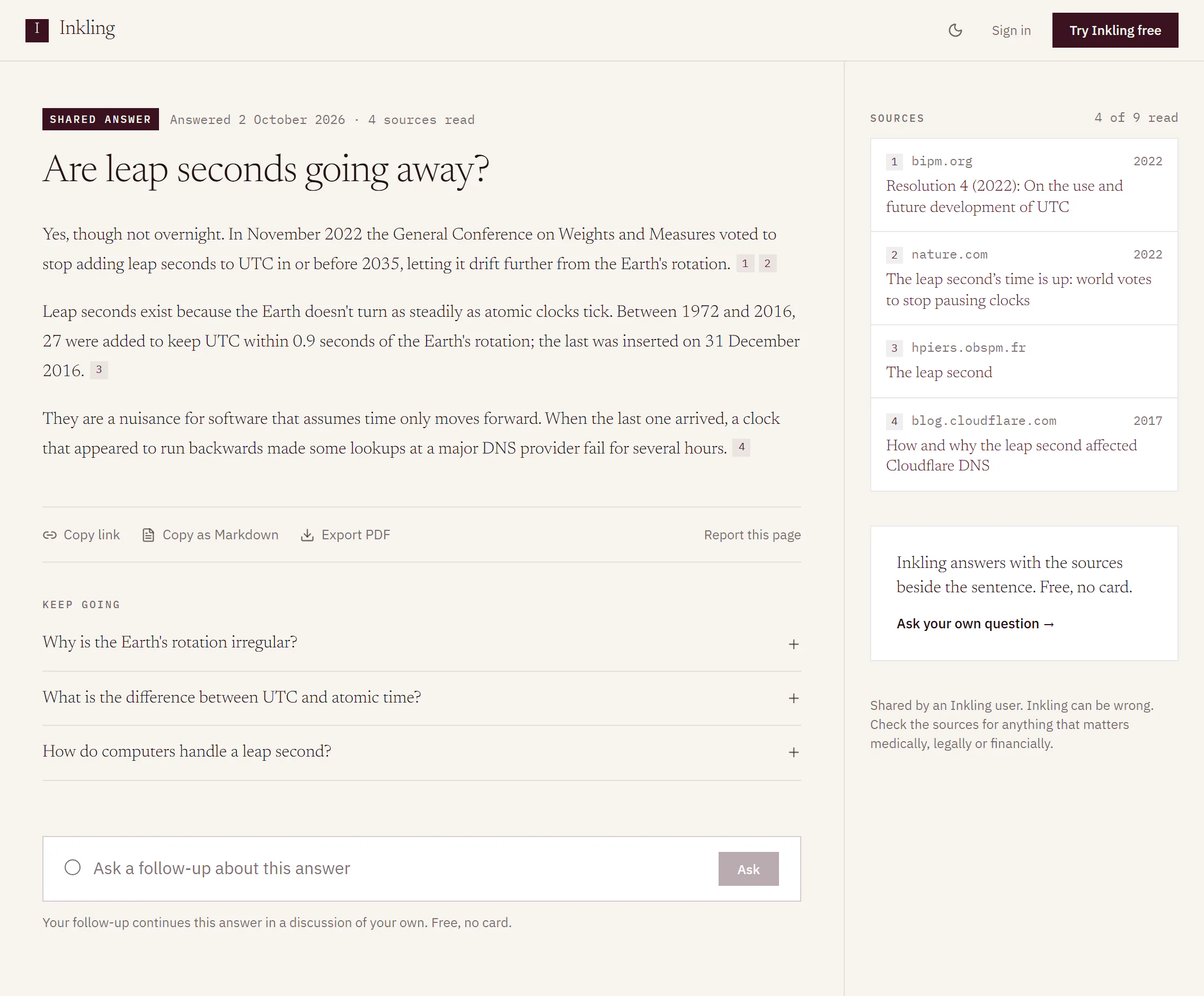
How an answer is made
- You type a question into the ask box and choose a depth: Quick, Pro or Research.
- Inkling searches the web and lists the pages it will read in the Sources rail, before the first word of the answer appears. Quick reads up to 5 sources, Pro up to 10 and Research up to 20.
- It writes the answer from those pages. Each claim ends in a small numbered chip: hover over it or focus it to preview the page, and click it to open the page.
- A line above the answer, the stamp, says what served it, how long it took and how many sources it read.
Inkling is told to write only from the pages it read, and to say so plainly when they don’t cover your question rather than fill the gap from memory. It answers in the language you ask in.
The exception is a question that doesn’t need the web at all, such as tightening a paragraph you pasted. Inkling then answers directly and says that nothing was searched. See Answers that didn’t need a search.
What you can do in Inkling
| Area | What it does | Plan |
|---|---|---|
| Ask | Cited answers at three depths, with follow-ups in the same discussion | Free and Pro |
| Translate | Text between 44 languages, with the numbers and dates to check underlined; whole documents on Pro | Text on both; documents on Pro |
| Notes | Your own notes and todos, with the sources of saved answers kept beside them | Free and Pro |
| Share | An answer or a whole discussion published as a public page, sources included | Free and Pro |
On a computer, the header reads Ask, Translate, Notes and Pricing. On a phone, a tab bar at the bottom of the screen carries Ask, Translate, Notes, Discussions and Pro. In both, Notes appears once you’re signed in.
Free and Pro
Every account starts on Free, and Free is not a trial. Free currently includes:
- unlimited Quick answers
- 5 Pro searches a day
- 1 research report a month
Pro is in early access. There is no price and no checkout: you press Request Pro access, a person reviews the request, and Pro is switched on for your account by hand, at no charge. Free and Pro lists what each plan includes.
Pro is also the name of a depth. Pro search is a depth that Free currently includes 5 times a day; the Pro plan is the early-access plan. The glossary keeps the two apart.
What the stamp tells you
The stamp names a depth and a tier, never a model. Frontier tier is the usual. Standard tier means Inkling had to serve that answer on a lighter tier than usual, and the stamp says so. Tiers describe a single answer, not your plan. Read an answer explains the rest of the line.
Good to know
- Asking needs a free account with an email address and a password. If you type a question before you sign in, Inkling keeps it in that tab while you sign in. See Create your account.
- Every question opens a discussion you can come back to and continue. See Follow-ups and Keep going.
- Inkling can be wrong. The home page footer says it plainly: “Inkling can be wrong; verify important answers against their cited sources.”