Edit a diagram
Checked against Inkling on , 3 min read
Pro · early access
The diagram editor is part of Pro, which a person switches on after you ask, at no charge. On Free, answers don’t draw figures, so there is nothing to edit; Draw this as a diagram under an answer explains what Pro adds. Request Pro access
Open any diagram in an answer as code beside a live preview, fix it by hand or describe the change in a sentence, then save it back into the answer.
Before you start
- You need the Pro plan and a diagram in one of your own answers: a flowchart, a sequence diagram or a timeline. Charts have no editor; use View data and CSV to work with their numbers.
- Editing the code by hand is not metered. Each Describe a change uses one redraw, and Pro currently includes 50 a day.
Open the editor
Under the diagram, press Edit diagram. The editor opens with the diagram’s code under Mermaid on one side and a preview on the other. The line under the preview reads “Preview updates as you type. Diagrams are drawn as plain SVG and never run scripts.”
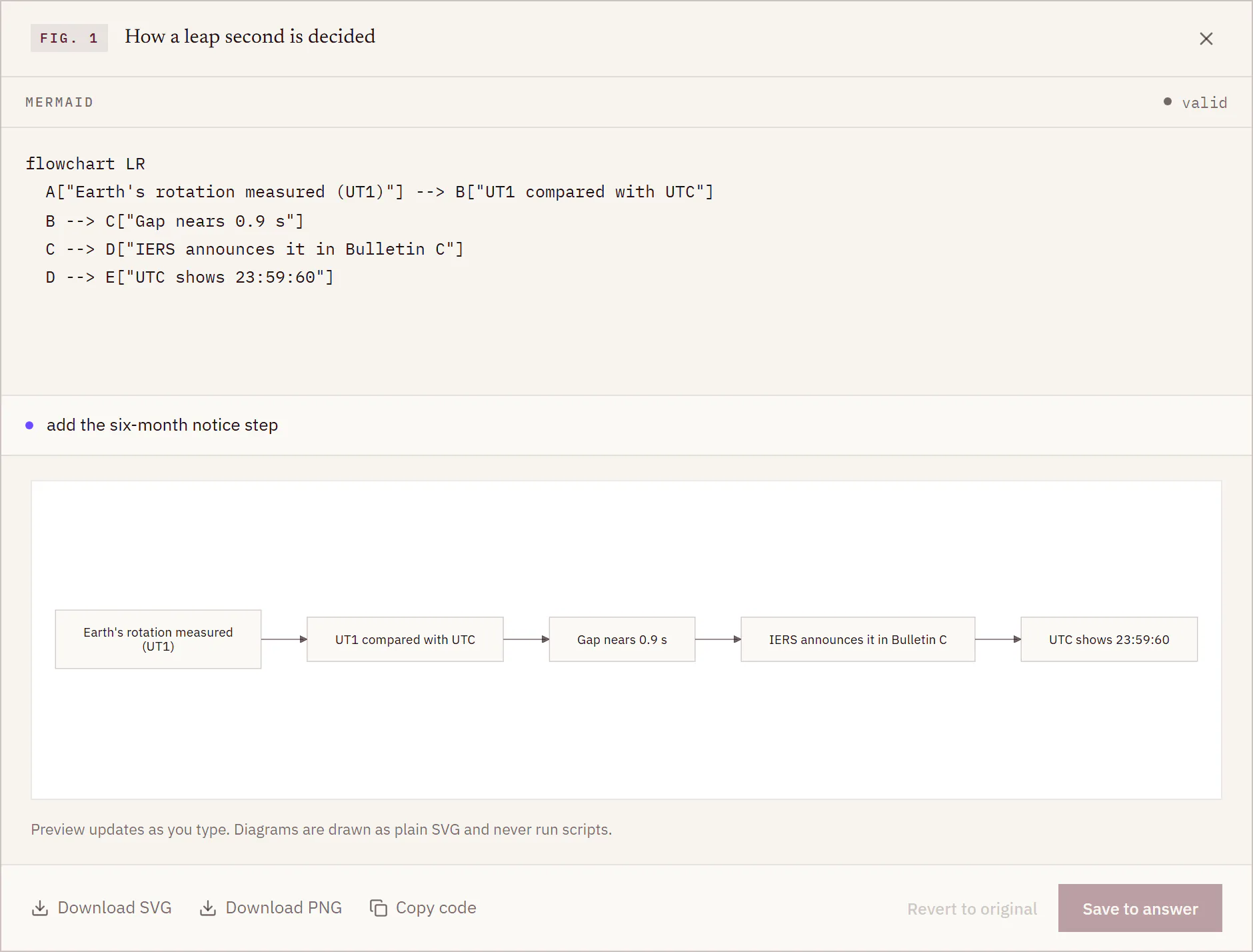
Fix it by hand
- Edit the code. Inkling writes each label in quotes, so renaming a box is usually a change to the words between them.
- Watch the status line by the code. It reads “checking…” while you type, then “valid”, or “line N:” followed by what is wrong, so you know where to look.
- When it reads “valid”, press Save to answer. The button stays greyed until the code is valid and has changed.
Describe a change
- In Describe a change, write what you want in a sentence, the way the placeholder does: “add a Marquez node after the store”.
- Press Enter. The status line reads “redrawing…”.
- The redrawn code lands in the editor and the preview. Nothing is saved yet: keep it with Save to answer, adjust it by hand, or put the original back.
Save or undo
- Save to answer writes the diagram into the answer. Follow-up questions in the discussion see your edited version.
- Revert to original puts Inkling’s first drawing back in the editor. Press Save to answer to keep it.
- The footer also has Download SVG, Download PNG and Copy code.
Limits
| What | Limit |
|---|---|
| Diagram types | flowchart, sequence diagram, timeline |
| Size | 12,000 characters, 25 nodes, 40 connections |
| One description | 500 characters |
| Redraws | currently 50 a day on Pro, back at 00:00 UTC |
Messages you might see
| Message | What to do |
|---|---|
| “Inkling draws flowcharts, sequence diagrams and timelines.” | The first line names another kind of diagram. Change it to one of these. |
| “A diagram can have at most 25 nodes.” | Merge or remove some boxes. |
| “A node can’t be called ‘end’ — Mermaid reserves that word.” | Rename that node. |
| “Couldn’t redraw — try a different description.” | Ask for the change in other words. |
| “Redrawing is paused right now — edit the code by hand.” | Redraws are paused for now. The code and the preview still work. |
| “You’ve used today’s 50 redraws — they come back at midnight UTC.” | Edit by hand until then. |
| “Couldn’t save — try again.” | Press Save to answer again. |
Good to know
- Regenerate doesn’t carry your edit. It asks the question again and adds a new answer below, with any figures of its own. Your edited diagram stays in the earlier answer.
- A redraw counts when it runs. One that comes back unusable still uses one of the day’s redraws, so describe the change plainly.
- Saving changes the answer. If the answer had a second opinion, its verdict stays with the line “The answer changed after this second opinion was written.”, and its marks are taken off. See Get a second opinion.