Service status
Checked against Inkling on , 3 min read
Open in InklingWhen part of Inkling isn’t working, a one-line status appears under the header and links to a status page that says only what has been posted.
The status line
Each status starts with a label:
| Label | What it means |
|---|---|
| Notice | Something worth knowing. A notice doesn’t pause anything. |
| Degraded | Part of Inkling is paused or not working as it should. The line says which part. |
| Outage | Asking, Translate, second opinions and publishing are paused everywhere. You can still read. |
| Back to normal | “The problem posted earlier has been cleared.” It shows for a while after a problem clears. |
| From Inkling | A note from the team rather than a problem. |
A Notice or Degraded status shows on the home page and the pages it affects, or on every page when it is posted that way. An Outage, a Back to normal line and a note from Inkling show on every page. The status page itself never shows the line, because it says the same thing in full.
Press Details to open the status page. A note from Inkling has Read more instead, which opens the status page or the page the note is about. A Notice, a Back to normal line or a note from Inkling can have a × to dismiss it; a Degraded or Outage line can’t be dismissed. A dismissed line stays hidden in that browser until the status is updated or posted again.
When a depth is paused
A Degraded status can pause Pro or Research. You can still ask:
- In the ask box, the paused depths are struck through, with Paused right now under them.
- Ask as usual. Inkling answers the question at Quick.
- The answer says so, for example: “Pro is paused right now, so this was answered at Quick.”
A question answered at Quick this way is counted as a Quick one, so it takes nothing from your Pro searches or research reports.
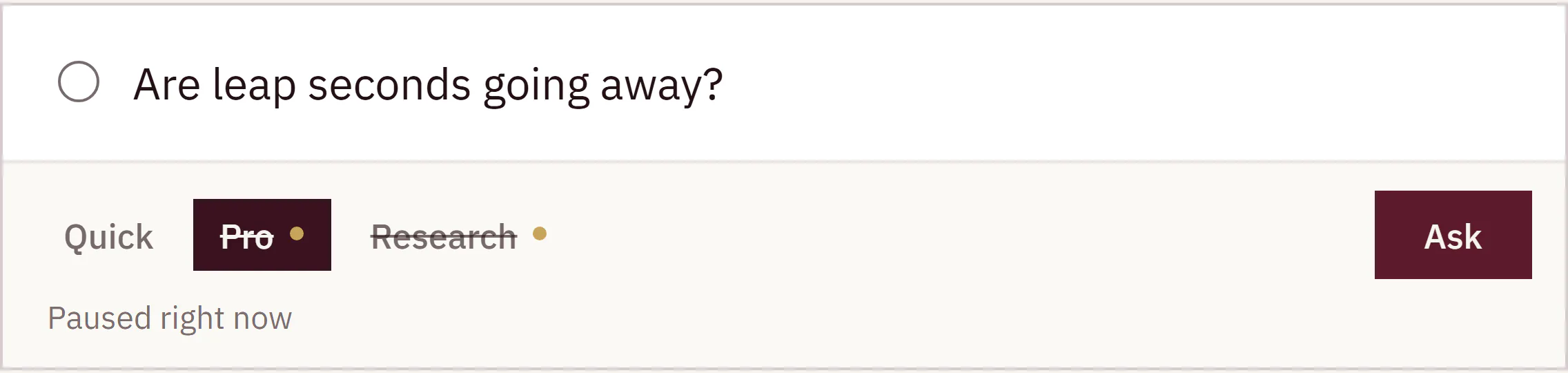
Other parts a status can pause show the same Paused right now beside their buttons, among them Translate, second opinions and Inkling’s actions beside a note.
During an outage
While an Outage is posted, or a status pauses every depth, the ask box is replaced by two lines:
- “We can’t take questions right now.”
- “This page updates itself when asking works again.”
You don’t need to reload. The ask box comes back on its own.
When Inkling can’t be reached
If the page can’t reach Inkling at all, the status line shows Outage with “Inkling can’t be reached right now.” and “This page will clear itself when it can.” Nobody has to post this one: it appears on its own, and the line clears once Inkling answers again.
The status page
Open Status, press Details in the status line, or press Status in the footer of the home page. While a Notice, Degraded or Outage status is posted, the footer link carries a dot.
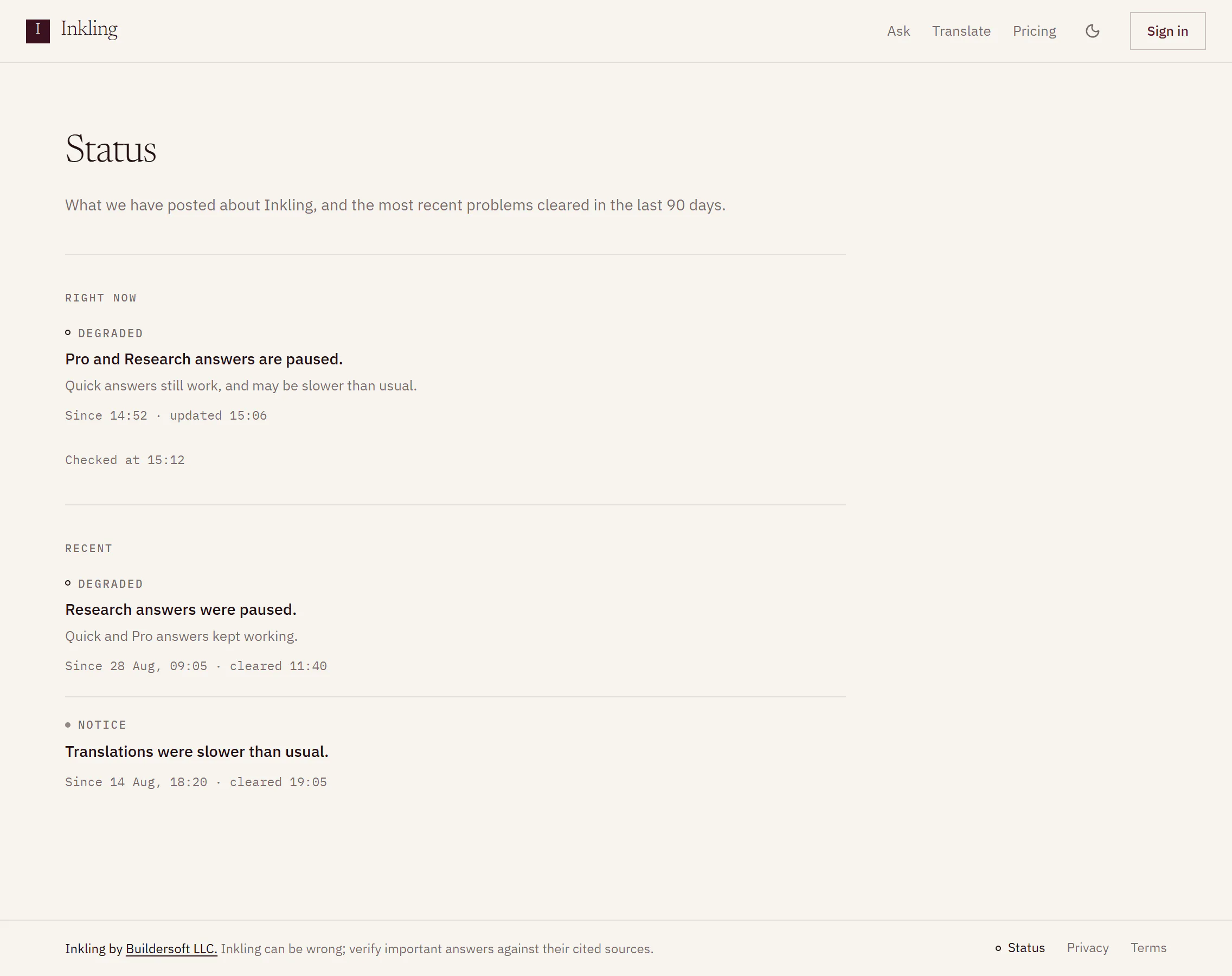
The page reads “What we have posted about Inkling, and the most recent problems cleared in the last 90 days.” It has 2 parts:
- Right now: the status in force, in full, with when it started and when it was last updated. When nothing is posted, it says “No problems have been posted.”
- Recent: up to 20 problems cleared in the last 90 days, newest first, with when each started and cleared. With none, it says “No earlier problems in the last 90 days.”
Good to know
- Apart from the “can’t be reached” line, a person at Buildersoft posts every status. Inkling’s automatic checks never post one.
- The status line and the status page show whether or not you’re signed in.
- Pro accounts may get 1 email per problem, “Inkling service notice: …”, when a Degraded or Outage status goes on for a while. See Emails Inkling sends.