Hand a todo to Inkling
Checked against Inkling on , 3 min read
Open in InklingInkling researches one todo on the web as a single Pro search, saves the cited answer as a discussion, and writes a short sourced passage under the todo.
Before you start
- The todo has to be open. A ticked todo can’t be handed over until you untick it.
- Each hand-off costs one Pro search. Free currently includes 5 a day; on Pro they are unlimited. See Allowances, resets and refunds.
- Hand-offs start from the Todos page. See The Todos page.
Hand it over
- Open Notes, then Todos.
- Point at the todo, or Tab to it, and select Hand to Inkling (“Researches this todo as one Pro search”).
- The row shows Inkling · waiting, then Inkling · running.
- At Inkling · done, select Open the answer to read the full cited answer. It is saved in Discussions, named after your todo.
Under the list, the Todos page puts it in its own words:
Hand to Inkling — Inkling researches the todo on the web, with the part of the note around it as context, as one Pro search. The answer is saved as a discussion and, when the note has room, a short passage from it appears under the todo. You tick it off; Inkling never does.
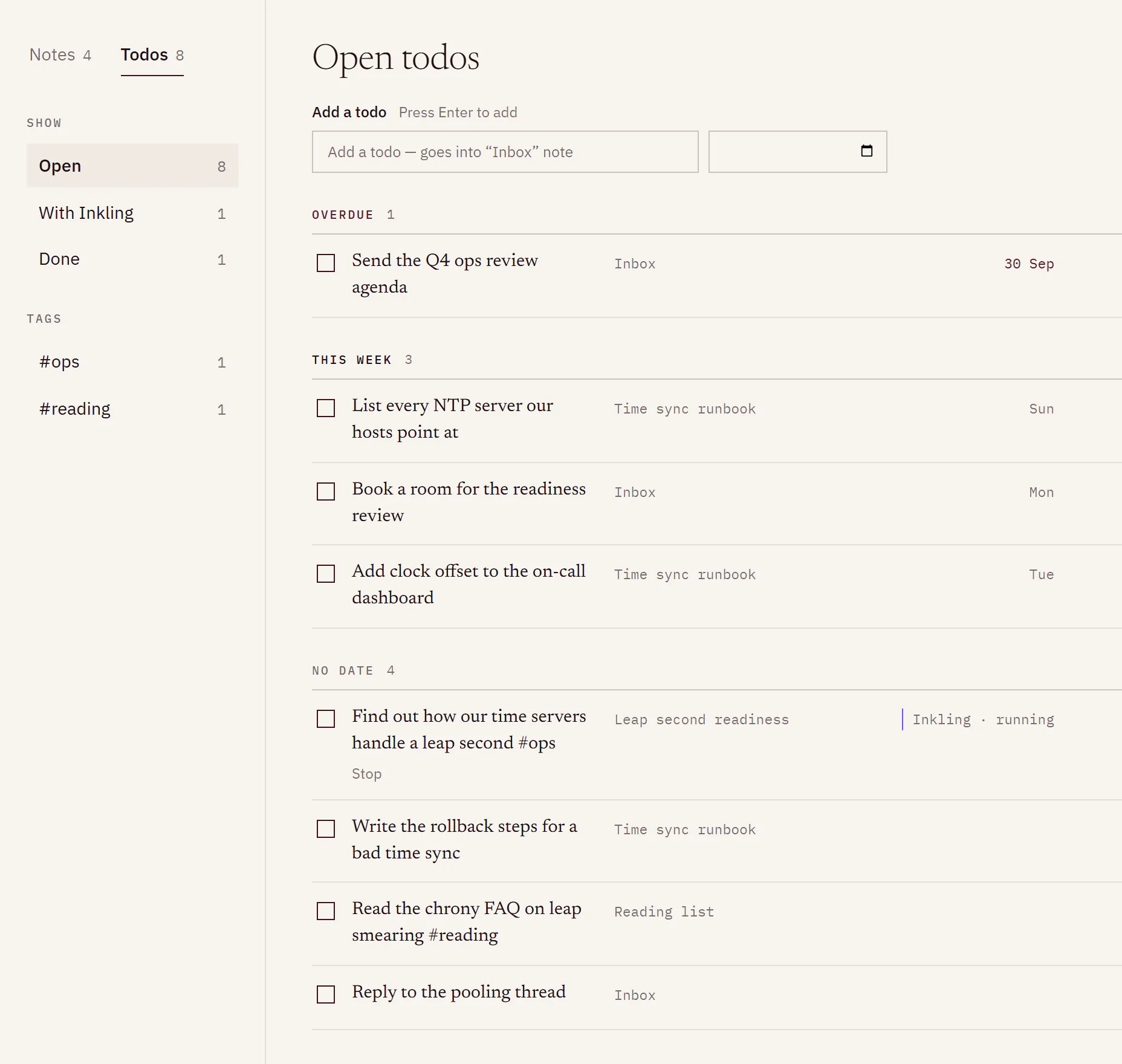
What you’ll see in the note
Under the todo, a passage headed “Inkling researched this”, with the date, a few cited sentences, Open the answer and Remove. You can’t edit the passage, because its citations vouch for those exact words; Remove takes it out. Its sources are listed in Sources in this note, under a line that names your todo.
In the note, the todo line carries a small chip with the same state as the Todos row. Select it for Stop or Open the answer.
States
| State | What it means |
|---|---|
| Inkling · waiting | In the queue, not started yet. Stop takes it out of the queue. |
| Inkling · running | Researching now. Stop ends it, and the Pro search it used is not given back. |
| Inkling · done | Finished. If the note was full: “The note was full, so nothing was written under the todo.” The answer is still saved. |
| Inkling · stopped | You stopped it, you ticked the todo before Inkling started, or the answer’s discussion was deleted. The line under the todo says which. |
| Inkling · couldn’t finish | It failed, it couldn’t start within an hour, or screening flagged part of the note. Where Try again is offered, it hands the todo over again as a new Pro search. |
When a Pro search was counted and then given back, the line under the todo ends “— your Pro search was given back”. On Pro nothing is counted, so it never says so there.
What Inkling sends
- The todo, the note’s title, and the section of the note the todo sits in, with the headings above it. Never the whole note.
- Search queries cut to 12 words or fewer, with links and long numbers, such as account or phone numbers, taken out first.
Limits
| Item | Limit |
|---|---|
| Cost | 1 Pro search each; currently 5 a day on Free, unlimited on Pro |
| At the same time | 2 per account, currently |
| In any hour | 10 |
| Longest todo Inkling will research | 4,000 characters |
| Part of the note sent | The todo’s own section, up to 6,000 characters |
| Time waiting in the queue | Up to 1 hour; after that it ends as Inkling · couldn’t finish |
Good to know
- With no Pro searches left, Inkling offers Answer this with Quick instead: an ordinary Quick question in a new discussion, with the todo’s words and nothing from the note. Pro is in early access: Request Pro access.
- If Inkling’s status has paused Pro answers, Hand to Inkling is greyed out with “Paused right now”. See Service status.
- You can’t edit or delete a todo while Inkling is researching it. Stop the research first.
- Your active system prompt shapes the answer, as it does any other answer. See System prompts.
- The discussion it creates is an ordinary one: ask follow-ups in it, share it or delete it. Deleting it while the research runs stops the research. Deleting it later leaves the passage in your note, without Open the answer.