What a shared page shows
Checked against Inkling on , 3 min read
A shared page is a snapshot of an answer or a whole discussion at an address that starts with /p/, and anyone with the link can read it, with no account.
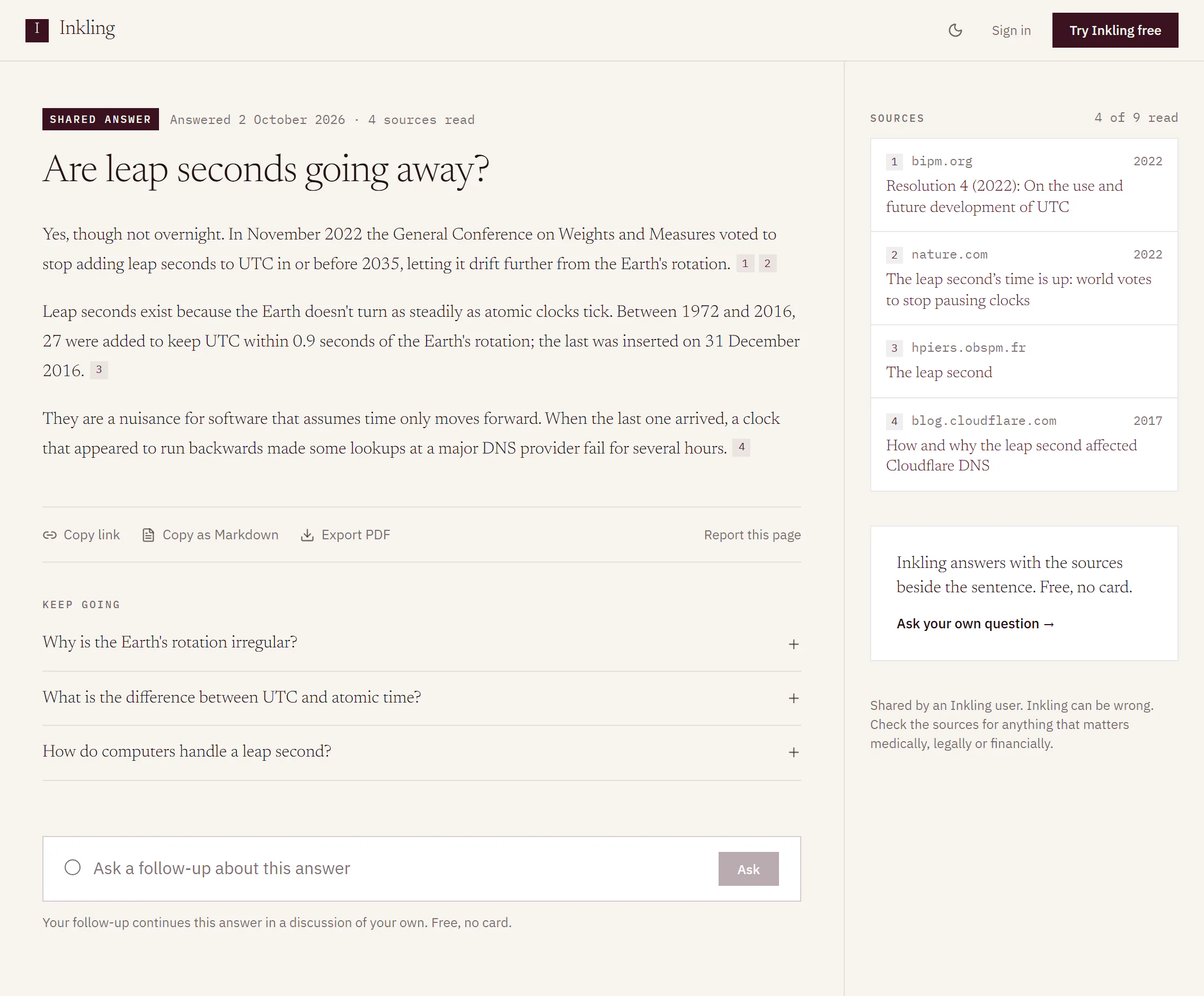
What’s on the page
- The stamp above the question says what it is, “Shared answer” or “Shared discussion · 3 questions”, then when it was answered and how many sources were read, for example “Answered 2 October 2026 · 4 sources read”. A direct answer says “nothing searched” instead.
- The answer, with its numbered citations still clickable, its sources and any figures it drew. If the author allowed follow-ups, its Keep going questions are there too.
- The footer says who shared it: “Shared by an Inkling user.” or, for a page published under a handle, “Shared by @handle.” with a link to that profile. Then: “Inkling can be wrong. Check the sources for anything that matters medically, legally or financially.” On a page with a direct answer, the footer says instead that answers marked “nothing searched” were written without sources.
If the author turned Show sources off, the page has no citations, no sources and no source count. The depth, the tier and the time the answer took are never on the page, and neither is a second opinion. If you published the page yourself, it says “You published this page”, with Manage, which opens Settings › Shared pages.
What readers can do
| Action | What it does |
|---|---|
| Copy link | Copies the page’s address |
| Copy as Markdown | Copies the page as Markdown text, with its sources if the page shows them |
| Export PDF | Downloads the page as a PDF |
| Report this page | Tells Buildersoft something is wrong with it; see below |
Ask a follow-up from a page
- Type into the box under the page, “Ask a follow-up about this answer” (or “about this discussion”), and press Enter. A Keep going question fills the box for you to send.
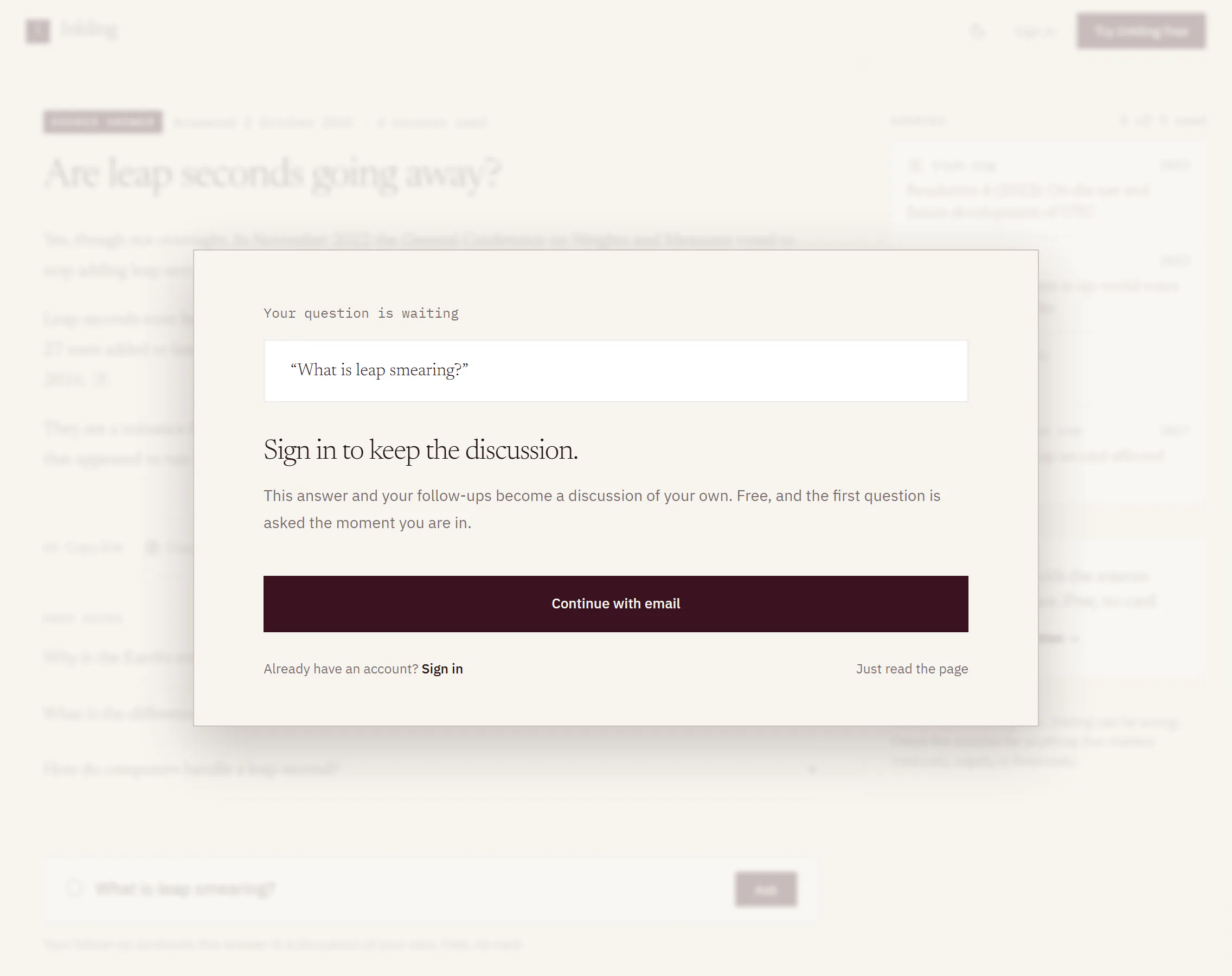
- If you’re signed out, a dialog opens: “Your question is waiting” and “Sign in to keep the discussion.” Choose Continue with email to create a free account, Sign in if you have one, or Just read the page.
- Once you’re in, Inkling opens a discussion of your own that starts with a copy of the page, and asks your question under it.
The follow-up is asked as a Quick answer, which is unmetered on every plan. Inkling makes one copy of a page for you, and the copied answers in it are yours to read but not to publish again. If you published the page yourself, your question goes into the discussion you published it from instead. If the author switched follow-ups off, the box is replaced by “The author turned follow-ups off for this page.”
Report a page
- Press Report this page.
- Choose the reason that fits: “It shares someone’s personal details”, “It could cause harm”, “It pretends to be someone”, “It is spam or advertising” or “Something else”.
- Press Send. You’ll see “Thanks. Somebody will look.”
You don’t need an account to report a page, and a report carries only the reason you chose. To say more or to get a reply, use the dialog’s link: “Need to tell us more, or want a reply? Use the contact form”.
Listed and unlisted pages
The author decides whether search engines may list a page. A listed page can turn up in search results; an unlisted one is reached only through its link. Either way, anyone who has the link can read it.
When a page has gone
| The page says | Why |
|---|---|
| “This page was removed by its author.” | The author unpublished it, or deleted the discussion it came from. |
| “This page was removed.” | It was taken down for another reason. |
| “There is no page at this address.” | The address is wrong, or the page no longer exists. |