Notes basics
Checked against Inkling on , 4 min read
Open in InklingNotes are your own documents inside Inkling: a quiet editor where your writing and the sources behind it live together, kept until you delete them.
Before you start
You need to be signed in. Notes appears in the header, and in the tab bar on a phone, only once you are. Notes work the same on Free and Pro: they have no meter, and there is no limit on how many you keep.
Create a note
- Select Notes in the header, then New note.
- Type a title where it says Untitled note, and press Enter to move into the note.
- Write. On an empty line, type / to choose what kind of line it is.
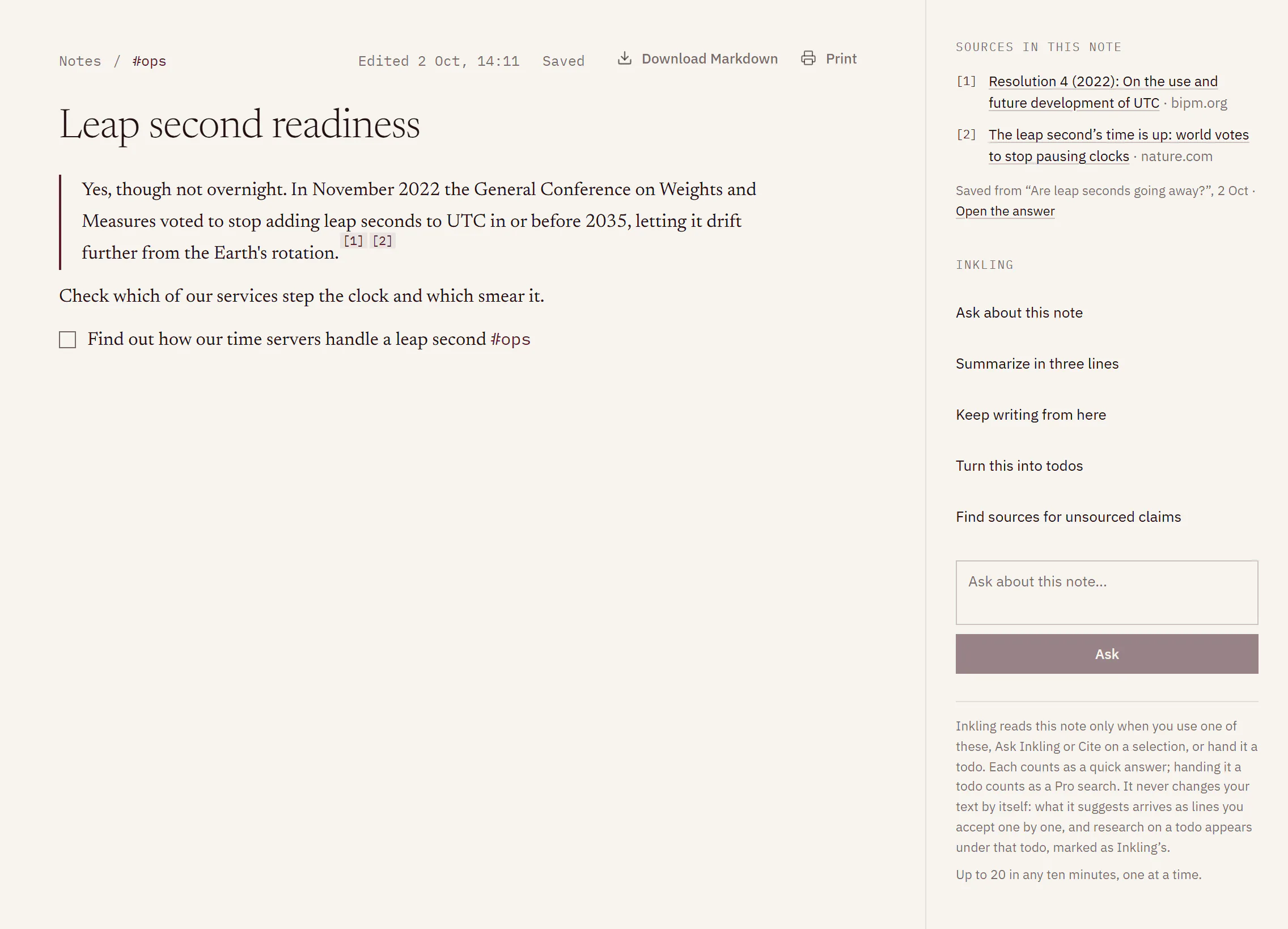
Format as you write
The / menu offers Text, Heading 1 to Heading 4, Checkbox, Bulleted list, Numbered list, Quote, Code block, Divider, Due date and Source. Keep typing after the slash to narrow the list, or press Esc to close it and keep the slash.
You can also type an opener at the start of a text line, followed by a space. The last two need no space, and a divider needs a line of its own:
| Type | To get |
|---|---|
# to #### | Heading 1 to Heading 4 |
[ ] | A checkbox ([x] for a ticked one) |
- or * | A bulleted list |
1. | A numbered list |
> | A quote |
``` | A code block |
--- | A divider |
Select some text and a toolbar appears over it: the line’s type (choose another to turn the line into it), Bold, Italic, Underline, Strikethrough, Code, Link, Cite [ ] and Ask Inkling. Most of these have a keyboard shortcut; see Keyboard shortcuts and accessibility.
A checkbox line is a todo. It also appears on the Todos page.
File notes with #tags
Type # and a word anywhere in a note, such as #lease, and the note is filed under that tag. A tag starts with a letter and can hold letters, numbers, _ and -, up to 40 characters. Words inside code or link text are never read as tags.
The rail beside your notes lists All notes, your tags with the busiest first, and Untagged; More tags shows the rest. A note’s tags also appear above its title, linked to the list of notes that share them. Search notes looks for your words in titles and in the text.
What you’ll see while you write
Notes save as you type. The line above the title says where things stand:
- Saving…, then Saved with when, such as Saved · just now
- Not saved — retrying if a save didn’t go through; Inkling tries again
- Changed elsewhere — merged if the note was edited in another tab or on another device at the same time, and the two were merged
If you and another tab changed the same line, your earlier version waits at that line under “Your earlier edit to this line, from before it changed elsewhere”. Choose Keep mine to add it back, or Discard.
Take a note out of Inkling
In the note’s header:
- Download Markdown saves the note as a
.mdfile, with its sources listed under the text. - Print opens your browser’s print dialog, where you can also save the note as a PDF. The printed note carries its sources.
Delete a note
- In the Notes list, point at the note, or Tab to it, and select the bin icon.
- In Delete this note?, select Delete.
The note is deleted with its todos and the passages saved in it. This cannot be undone.
Limits
| Item | Limit |
|---|---|
| Length of a note | 100,000 characters |
| Length of a title | 200 characters; a counter appears from 180 |
| Length of a tag | 40 characters |
| Saves, ticks and other note writes | 240 in any 10 minutes, per account |
| How long notes are kept | Until you delete them, on every plan |
Good to know
- Sources come into a note only from an answer or from Inkling, so each one records where it came from. There is no field for pasting an address as a source; Link adds an ordinary link. See Save an answer to a note.
- Tab leaves the note rather than indenting a line, as it leaves any other field.
- If Inkling pauses writing to notes, you see “Writing to notes is paused by Inkling right now. You can still read, copy and delete your notes.” and the note is marked Read only. Download Markdown and Print keep working.
- If a note you have open is deleted in another tab, it says Deleted elsewhere and offers Copy your text.