Read an answer: the stamp, citations and sources
Checked against Inkling on , 3 min read
On this page6 headings
Every answer says what served it, how long it took and what it read, and ties each claim to a numbered source you can preview and open.
The stamp
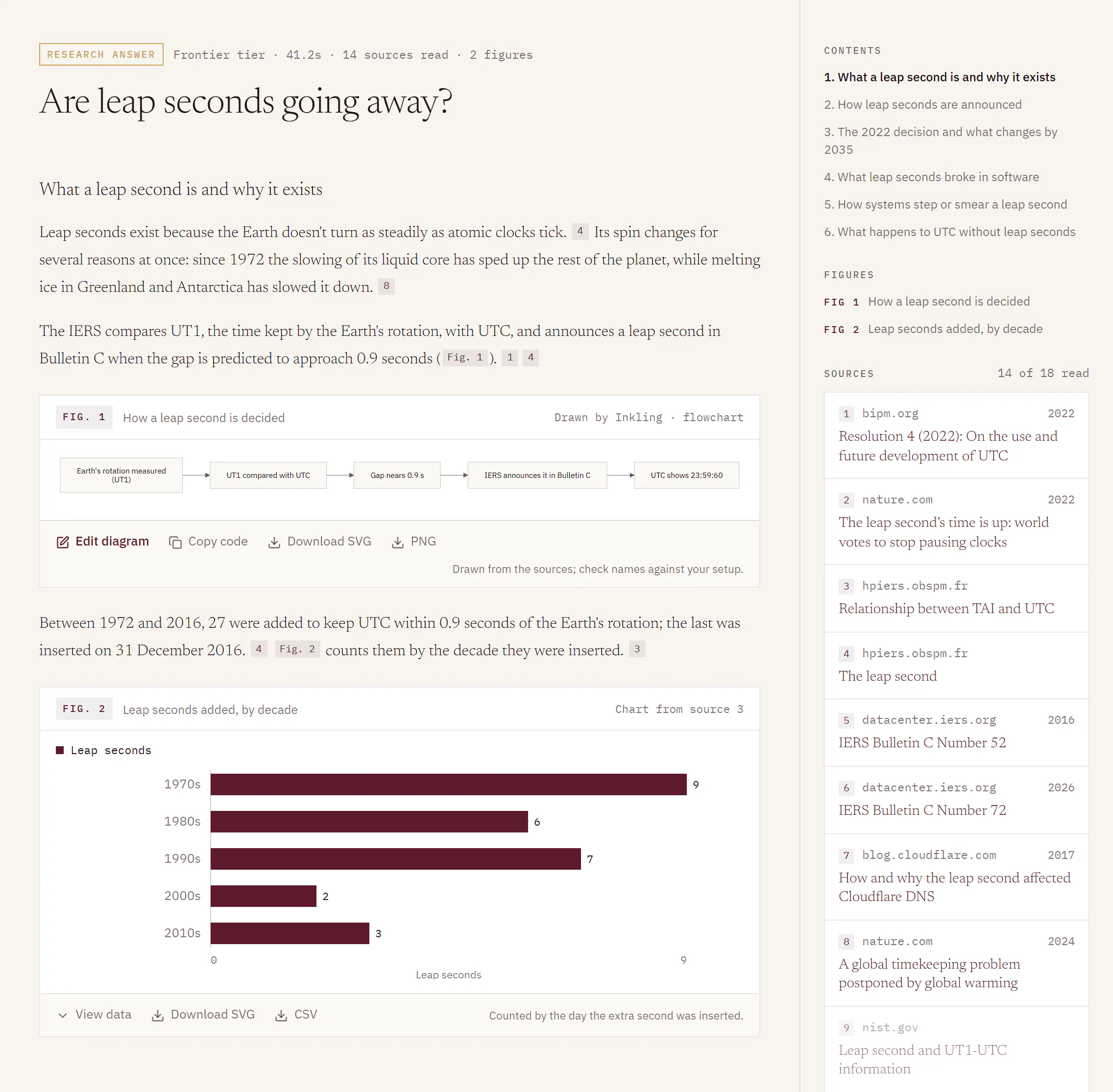
The stamp is the line above every answer. It starts with a chip that names the depth, “Quick answer”, “Pro answer” or “Research answer”, followed by facts separated by dots:
- the tier that served the answer
- the time it took, such as “4.2s”
- how many sources it read, such as “10 sources read”
- how many figures it drew, such as “2 figures”, when it drew any (figures are on the Pro plan)
A complete stamp reads like “Frontier tier · 41.2s · 14 sources read · 2 figures”. An answer that needed no search says “Direct answer” and “nothing searched” instead; see Answers that didn’t need a search.
Frontier tier and Standard tier
| Stamp says | What it means |
|---|---|
| “Frontier tier” | The answer was served as usual. |
| “Standard tier” | Inkling had to serve this answer on a lighter tier than usual. The stamp adds “Served at a lower depth than requested.” |
A tier describes one answer, not your plan, and Inkling never names the model behind it. If a status has paused the depth you asked for, the stamp says so in words, for example “Research is paused right now, so this was answered at Quick.”
Citations
- Each claim ends in a small square chip with a number, such as 3.
- Hover over the chip, or reach it with Tab, to preview the source: its site, date and title, and a short extract when there is one.
- Click the chip to open the page in a new tab.
Screen readers hear each chip as its number, the source’s title and its site, for example “Source 3: The leap second, hpiers.obspm.fr”. A number that doesn’t match a source Inkling supplied is never drawn as a chip, and it is removed from the saved answer.
The Sources rail
The Sources rail sits beside the answer on a wide screen, and under it on a phone or in a narrow window.
- It fills before the answer starts. While Inkling searches it reads “searching”, then the cards land, so you see what was read before you read what was written.
- Each card shows the source’s number, its site, its date when known, and its title. Click a card to open the page.
- The heading reads, for example, “14 of 18 read”: Inkling found more pages than it kept, and keeps up to 5, 10 or 20 depending on the depth.
- Sources the answer didn’t cite are dimmed, not hidden.
- The rail shows the sources of the newest answer in the discussion. Each follow-up answer also lists the sites it read under it: the first two, then “+3” and so on for the rest.
An answer with two or more sections, usually a Research report, adds Contents above the sources, and an answer with figures adds Figures. On a phone, both sit collapsed above the answer. See Research reports.
The caveat
Under the sources, the rail ends with one sentence: “Inkling can be wrong. Check the sources for anything that matters medically, legally or financially.” In a discussion that includes a direct answer, the sentence also says that answers marked “nothing searched” were written without sources.
Good to know
- Inkling is told to write only from the numbered sources it supplied, to cite each claim as it makes it, and to say plainly when the sources don’t answer the question. An answer that says “the sources don’t cover this” is doing its job.
- Copy keeps the citation numbers in the copied text, in square brackets. See Stop, copy, regenerate, export and rate.