Your discussions
Checked against Inkling on , 3 min read
Open in InklingEvery question you ask is saved as a discussion, with its follow-ups, answers and sources, and Discussions is where you find it again, pin it, rename it, archive it or delete it.
Open Discussions
- On a computer, open the account menu (your name, top right) and choose Discussions. It is also the last item in the Settings rail. The header doesn’t link to it.
- On a phone, tap Discussions in the tab bar.
- Or go straight to Discussions.
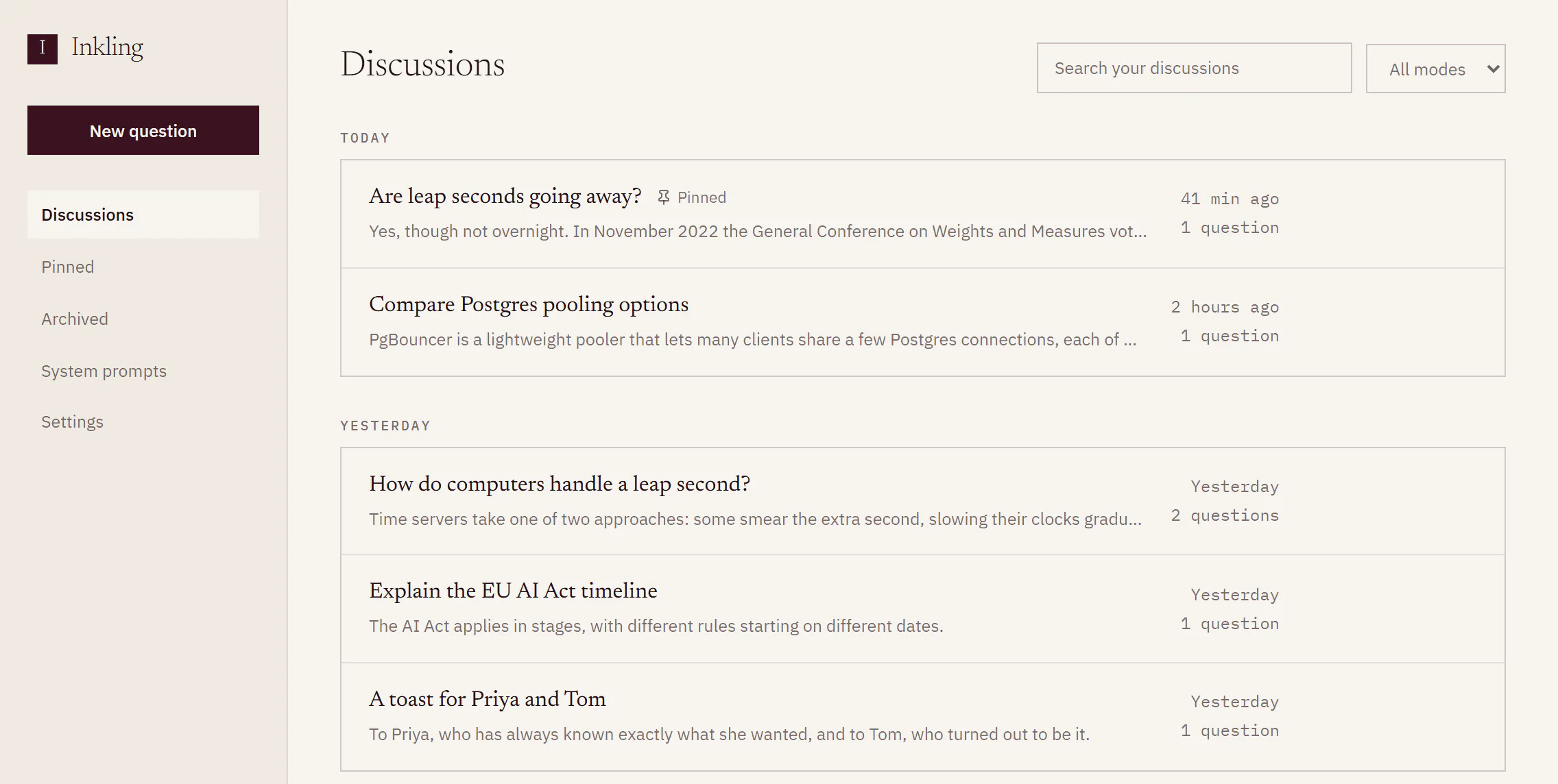
Find a discussion
- Type in Search your discussions. It matches each discussion’s title and the line of its answer shown in the list.
- To narrow by depth, change the menu beside it from All modes to Quick, Pro or Research. A discussion counts as the depth of its latest answer.
- Scroll. Discussions are grouped by when you last asked in them: Today, Yesterday, the day of the week, then the date. Pinned discussions sit at the top of their day.
- Press Load more discussions at the foot of the list for older ones.
Search looks only through the discussions that have loaded. If nothing matches while older ones are still to load, the list says “Nothing in what has loaded so far. Load more to keep looking.” and the button becomes Load more to keep searching.
Pin, rename, archive or restore
Each row has four buttons. They appear when you point at the row, and you can always reach them with Tab.
- Rename: type the new title, then Enter to keep it or Esc to cancel. Renaming doesn’t move the discussion in the list.
- Pin and Unpin: Pinned in the rail shows only your pinned discussions.
- Archive: moves the discussion out of the list and into Archived, in the rail. Open Archived and press Restore to bring it back.
Delete a discussion
- Press Delete on the row.
- Read the dialog: “Delete ‘[the discussion’s title]’?” and “The questions, the answers and the sources go with it.”
- Press Delete to confirm, or Cancel.
Deleting can’t be undone. If you only want a discussion out of the way, archive it. If you shared a page from the discussion, the dialog adds “The page you shared from it comes down too, and its link stops working.”, or the same about every page if you shared more than one.
Those pages then show “Discussion deleted” in Shared pages.
What each row shows
| Part of the row | What it tells you |
|---|---|
| Title | A short title Inkling writes from the first question and answer, until you rename it |
| One line of the answer | Helps you tell similar questions apart |
| Quick, Pro or Research | The depth of the latest answer |
| Pinned | You pinned it |
| Time | When you last asked in it, such as “2 hours ago” or “Yesterday” |
| Question count | How many questions the discussion holds |
Good to know
- More than questions land here. A translation you keep with Save to discussions on Translate is saved as a discussion. So is each todo you hand to Inkling from a note, titled by the todo. A follow-up you ask on someone’s shared page starts a discussion of your own that opens with a copy of the page.
- Pick up where you left off. Open any row to read the discussion again, ask a follow-up, or export it with Export PDF. See Answer actions.